|
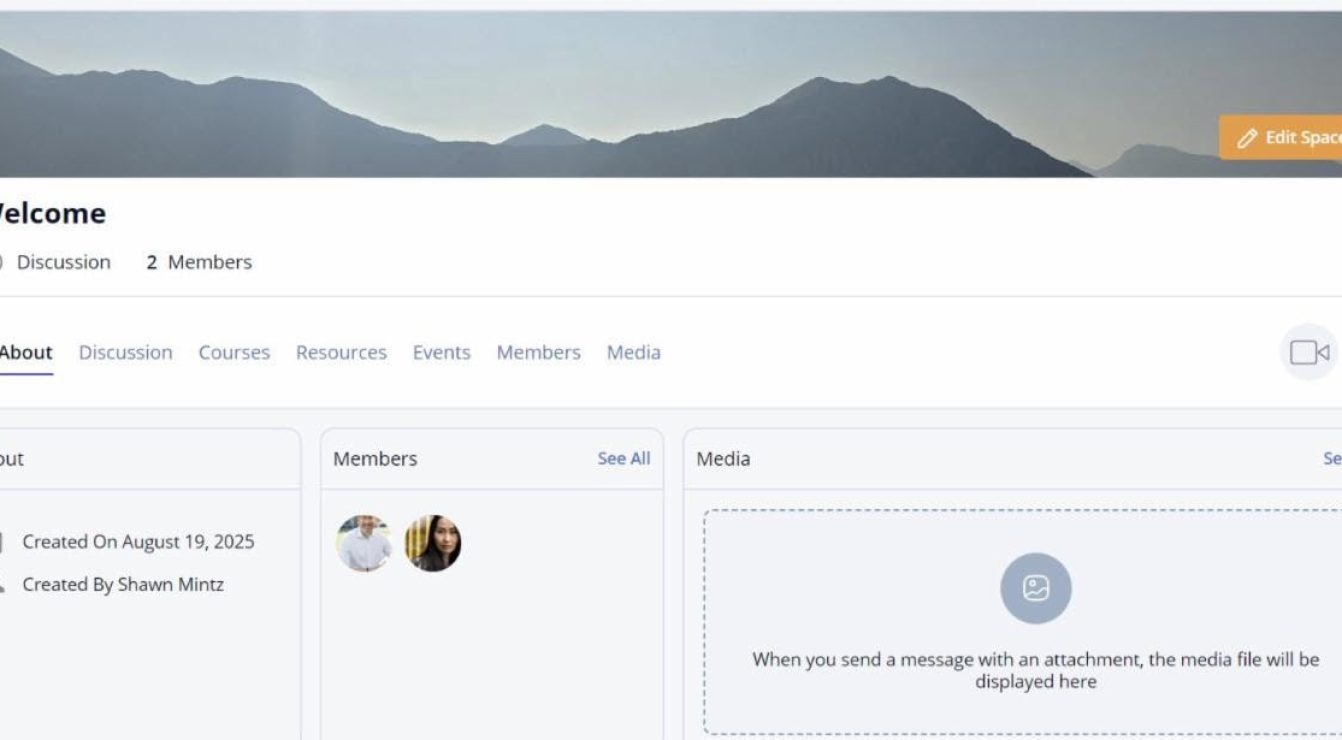
Bring people together around topics, themes, and projects that matter. Whether it’s all mentors in one place or a focused group working toward a shared goal, Spaces gives your community room to grow, connect, and thrive.
- Create private or public spaces around topics, themes, initiatives, and projects.
- Share relevant courses, resources, and events in one place.
- Foster discussions and deeper collaboration among mentors, mentees, and admins.
- Empower participants to lead and moderate their own Spaces.
How to Videos
Use Case Ideas
- Mentoring Program Committee – Program admins can collaborate during the setup stage and throughout the program lifecycle.
- Mentor Resource Hub – All mentors in one place to share insights, ask questions, network with one another, and access curated courses and materials.
- Leadership Development Circle – A private group for mentees enrolled in a specific leadership program. Courses, events, and discussions happen here.
- Affinity Group: Women in Tech – Space for women in STEM fields to connect, share challenges, and support one another’s growth.
- New Mentor Onboarding Space – An onboarding environment for new mentors with starter guides, training courses, and discussions.
- Peer Accountability Pods – Small cohorts of mentors or mentees supporting each other’s goals through structured conversations and progress check-ins.
Frequently Asked Questions
Can only admins create Spaces, or can anyone?
Admins can control this. It’s configurable. They can:
- Allow all users to create Spaces.
- Restrict Space creation to admins only.
Watch Video Tutorial
Can admins control who can see or access a Space?
Yes — Spaces can be:
- Public to everyone.
- Private to select individuals.
- Based on a role (e.g., all mentors).
Watch Video Tutorial
Can users be in more than one Space?
Yes. Users can be added to or join multiple Spaces.
What functionality comes with a Space?
Each Space can have:
- A Discussion
- Resources
- Events
- Courses
- Media
- And, a Members List
Would you like to learn more about how you can get started with Spaces? Book a Spaces Demo.
|


 We are here to help: